
Sales campaign setup: contacts, calling hours, and outcomes
Prepare a Sonrat.ai sales campaign with a clear objective, a checked contact list, an assigned agent, calling hours, and reviewable follow-up outcomes.
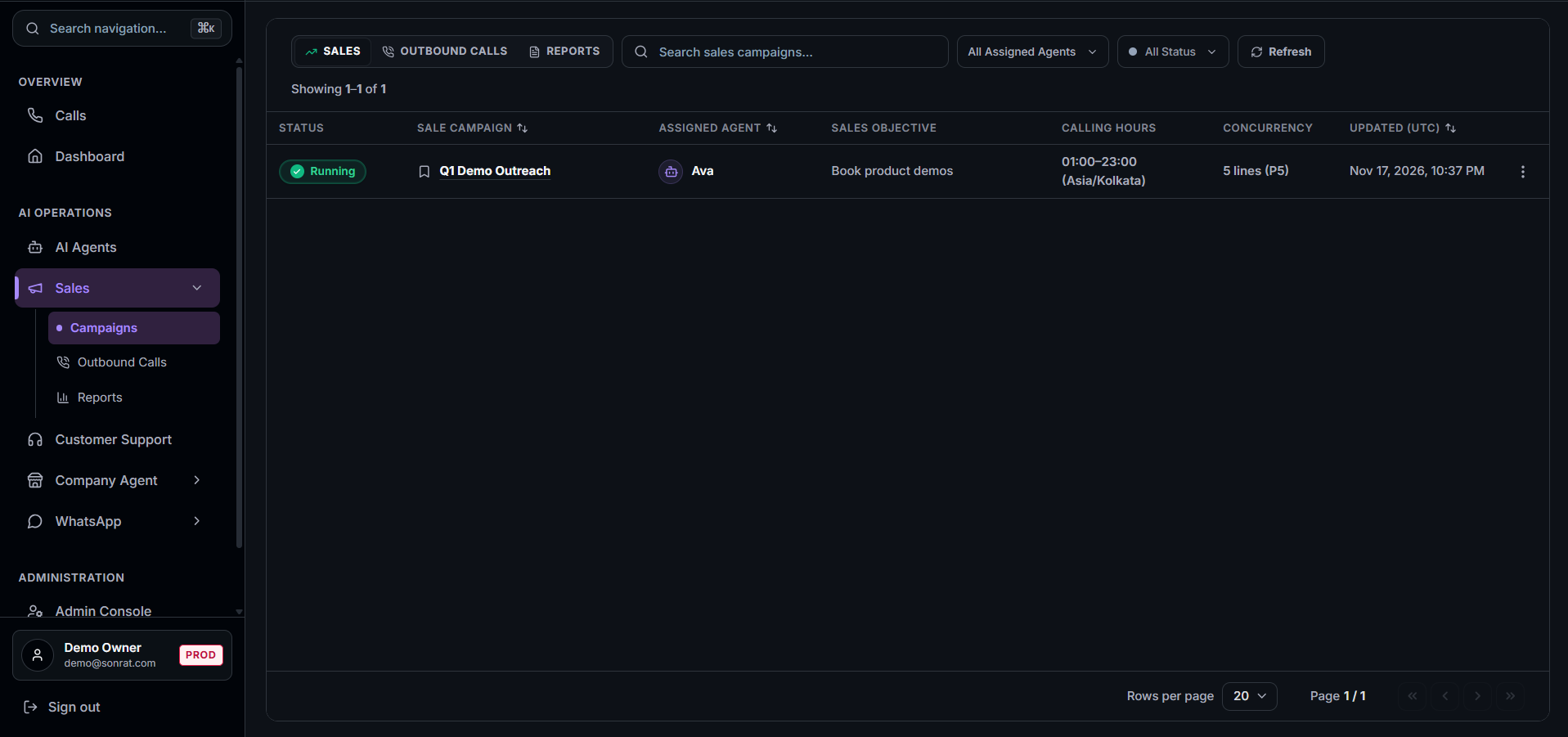
Start with an objective the team can recognise
A campaign needs a specific reason for the call. That might be following up on an enquiry or collecting requirements for a requested demonstration. Write down what information the caller should leave with and what the team needs to record.
Choose the agent whose knowledge and instructions fit that objective. An agent prepared for incoming support questions should not be assigned to an outbound sales task without reviewing its introduction and follow-up behaviour.
Check contacts before scheduling calls
Review the contact source, duplicate numbers, previous requests, and your business’s calling permissions and procedures. Make sure the agent has the context needed to explain why the person is being contacted.
Decide how to handle wrong numbers and requests not to receive further calls. A clean contact list and clear stopping rules are part of campaign setup, not something to repair only after calls begin.
Make the schedule explicit
Sonrat.ai’s campaign screenshot shows calling hours and a time zone, as well as an assigned agent and concurrency. Review those settings together so the intended schedule is not interpreted in the wrong location.
Confirm the limits and scheduling controls available in your account. Begin with a manageable set of contacts so a person can inspect the results before expanding the campaign.
Record the next action, not just the connection
Separate no answer, requested callback, information requested, and not interested. If a customer asks for a callback, capture the requested time and who should handle it.
After a small run, compare campaign results with individual call records. The campaign demo is product evidence, not a published sales result or a promise of conversion.